





Value: £679.99
(as of Jun 27, 2026 18:45:26 UTC – Particulars)
Product Description

USB3.0 2 Displays 4 Computer systems KVM Swap

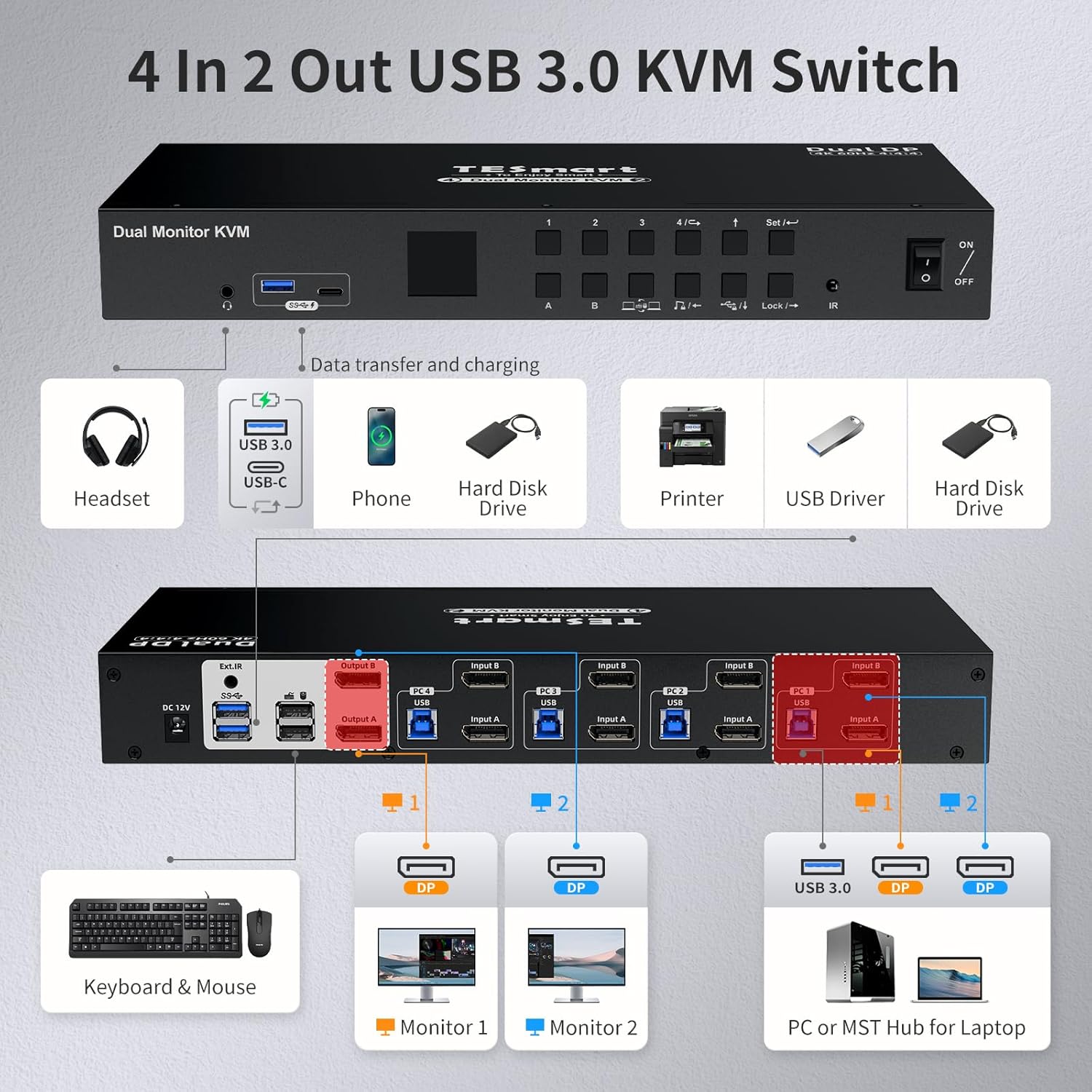
USB3.0 Port
The built-in USB 3.0 ports will let you share USB peripherals like printer, scanner, webcam and exhausting disk between 4 computer systems with information switch price as much as 5Gbp/s (10 occasions sooner than USB 2.0)

Headset Port
Comes with L/R port and helps microphone.Supplies a tremendous audio & visible immersive expertise.

Cost everytime you want
Customers can join different peripherals, switch information, and rapidly cost their units.
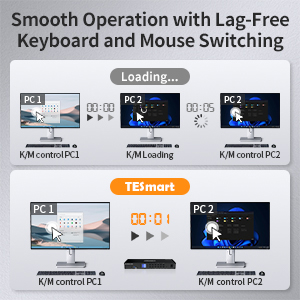
Keyboard and Mouse Seamless Switching
Obtainable to make use of keyboard and mouse with none delay after switching enter sources. No delay, zero delay, no must reinstall the driving force. Use it easily and enhance your work effectivity or gaming expertise.

Move-By means of Mode
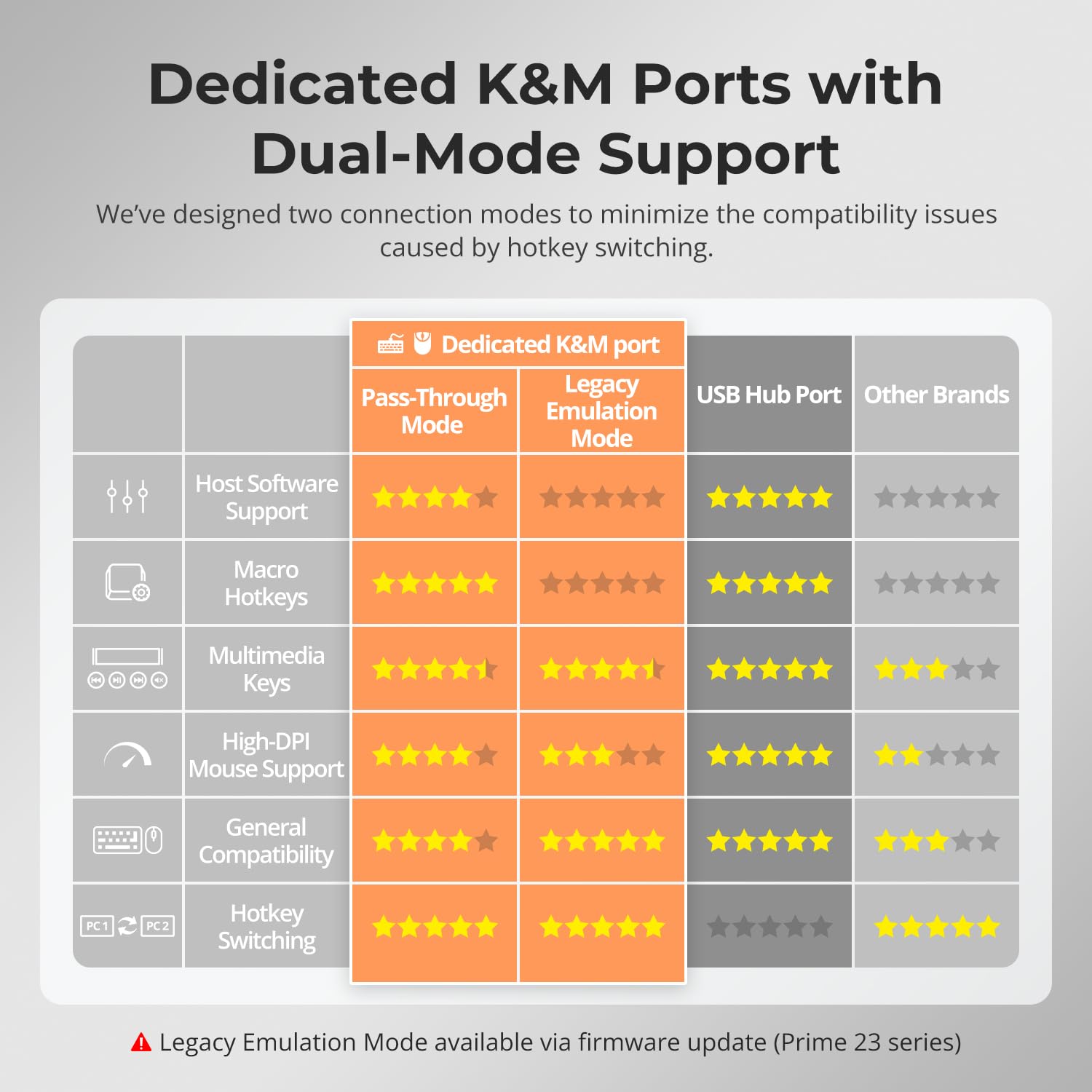
Excessive Compatibility with Your Keyboard and Mice, together with wired, wi-fi, mechanical, multimedia, and gaming Okay&M (Not assist wi-fi bluetooth Okay&M)

Packing Checklist
1 * 4×2 DisplayPort KVM Swap
8 * DisplayPort Cables
4 * USB Kind-A to Kind-B Cables
1 * IR Extension Cable
1 * IR Distant Management(AAA batteries not included)
1 * DC 12V Energy Adapter
1 * Person Guide
2 * Rack-ears
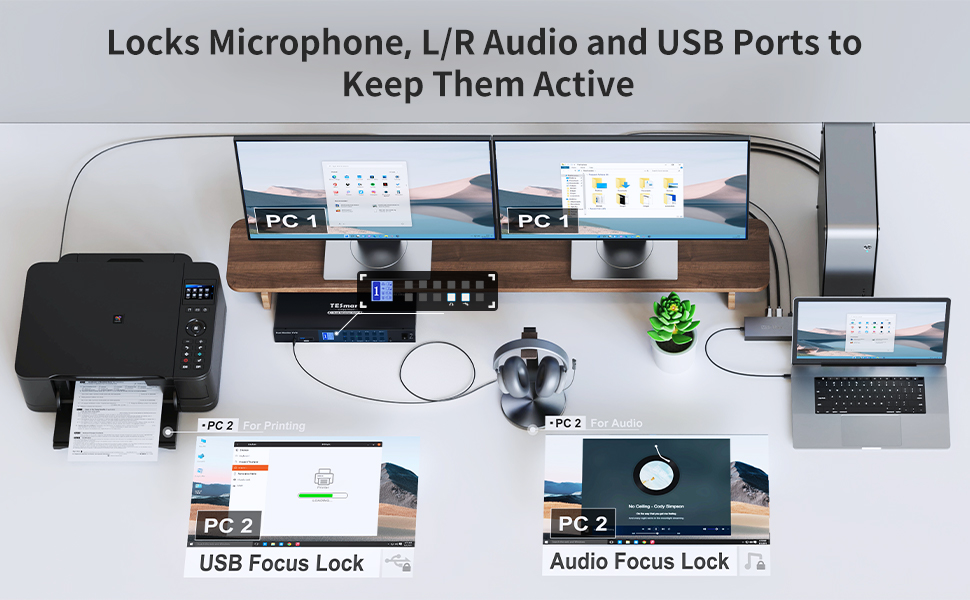
USB Focus Perform
USB and audio channels might be locked. Customers are free to attach chosen peripherals to totally different computer systems. You may hearken to audio from one pc whereas engaged on the opposite, or scan paperwork and save them to a different pc.

Port info

What are the distinctive options of the newest TESmart dual-monitor KVM change with pure DP ports?
1.Improve to USB3.0, which is 10 occasions sooner than USB2.0
2.Help charging the units like cellphones and tablets linked to entrance panel
USB ports
3.assist allow or disable EDID emulators.
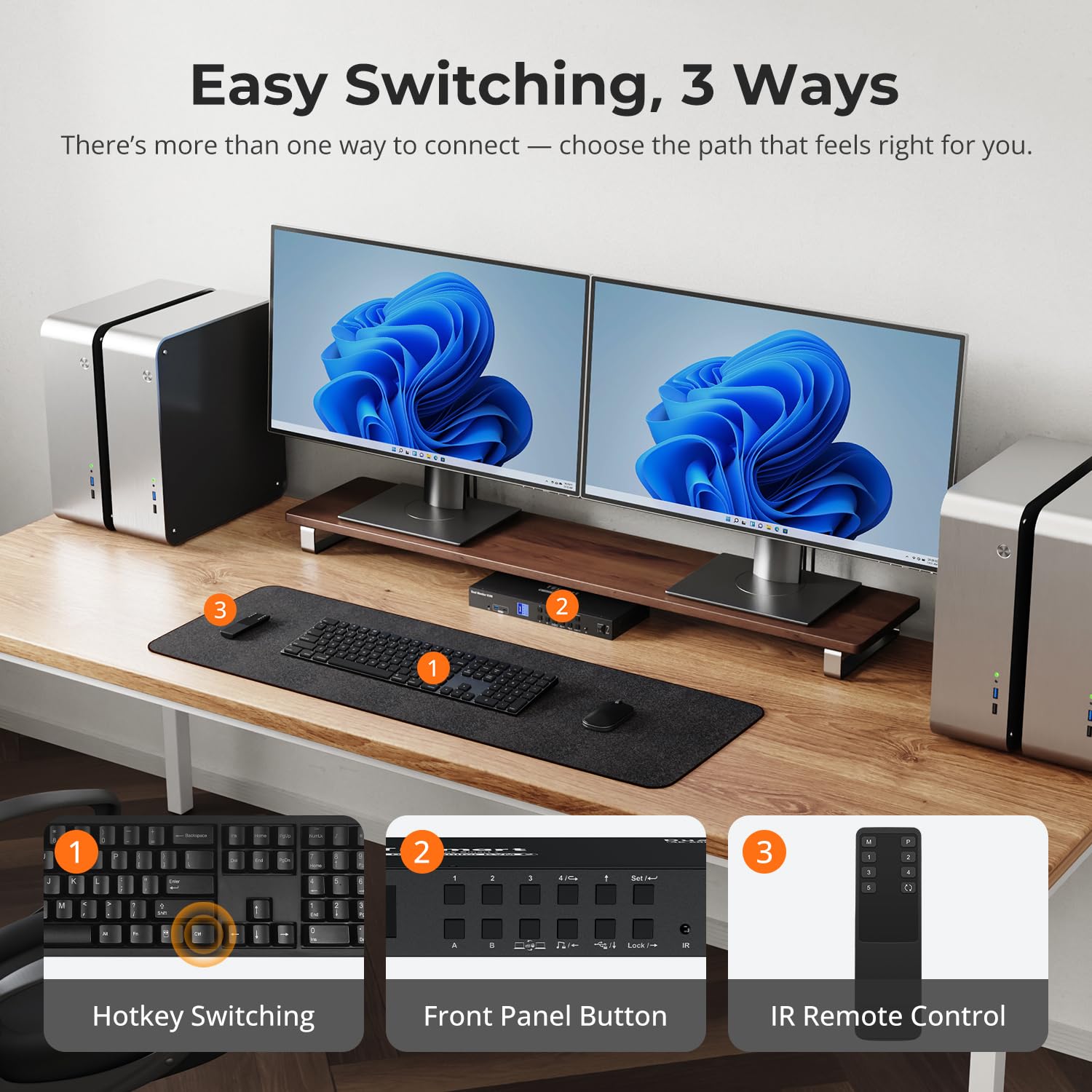
4.Helps one-click switching of keyboard and mouse focus

How do I search for assist?
If in case you have any questions or encounter points, there may be downloadable consumer guide and troubleshooting on the backside of the element web page, which can assist you discover the best way to search for assist. Our crew will assist you inside 24 hours.

What’s the greatest KVM Swap for me and what elements do I must keep in mind when selecting?
1.Present PC Setup – Buy a KVM change that helps the variety of computer systems in your setup.
2.Kind of Ports – Contemplate the kinds of ports your computer systems or servers have. Make sure the change you select matches your system interfaces.
3.A number of monitor assist? Guarantee each pc can assist the variety of screens you want to use in your setup. Single monitor, twin monitor or triple monitor?
4.Different preferences -Hotkey or Push-Button Management,Audio Help,Rack-Mountable,Privateness Safety,USB Charing,USB sharing.

How can I get the audio work?
1. Please affirm what output interface is the pc outfitted with? (DVI? HDMI?) In case your pc is provided with DVI output, usually that the DVI output doesn’t carry audio indicators, so the audio sign can’t be output to the speaker.
2. After you join the headset, it’s essential change to the pc ith the audio system turned on. Solely the pc that controls the audio playback will output audio.
3. If in case you have managed the pc to activate the audio system, choose the proper audio output channel. (Proper-click the speaker, open the sound settings, choose the proper HDMI output system, and set it as default.)
Improve
Help
Selection
Audio
Add To Basket
Add To Basket
Add To Basket
Buyer Evaluations
2.0 out of 5 stars 1
4.2 out of 5 stars 91
5.0 out of 5 stars 4
4.2 out of 5 stars 91
5.0 out of 5 stars 2
Value
— no information
— no information
£599.99£599.99 £181.99£181.99 £269.99£269.99
Quantity of Computer systems
4 4 4 2 2
Enter Port
4*(DP+DP) 4*(HDMI+HDMI) 4*(HDMI+HDMI+HDMI) 2*(HDMI+HDMI) 4*(HDMI+DP)
Quantity of Displays
2 2 3 2 2
Output Port
2*DP 2*HDMI 3*HDMI 2*HDMI 2*HDMI
Max Decision
4K@60Hz 4K@60Hz 4K@60Hz 4K@60Hz 4K@60Hz
USB Sharing
4x USB 3.0 (3xUSB A+1xUSB C) 4x USB 3.0 (3xUSB A+1xUSB C) 3x USB 3.0 (2xUSB A+1xUSB C) 2*USB3.0 2*USB3.0
USB charging
✓
✓
✓
✓
✓
Audio Output
Headset(Audio&Microphone) Headset(Audio&Microphone) Headset(Audio&Microphone) Headset(Audio&Microphone) Headset(Audio&Microphone)
Hotkey Switching
✓
✓
✓
✓
✓
EDID
Customise on or off ✓(in show mode 1) ✓(in show mode 1) ✓(in show mode 1) ✓(in show mode 1)
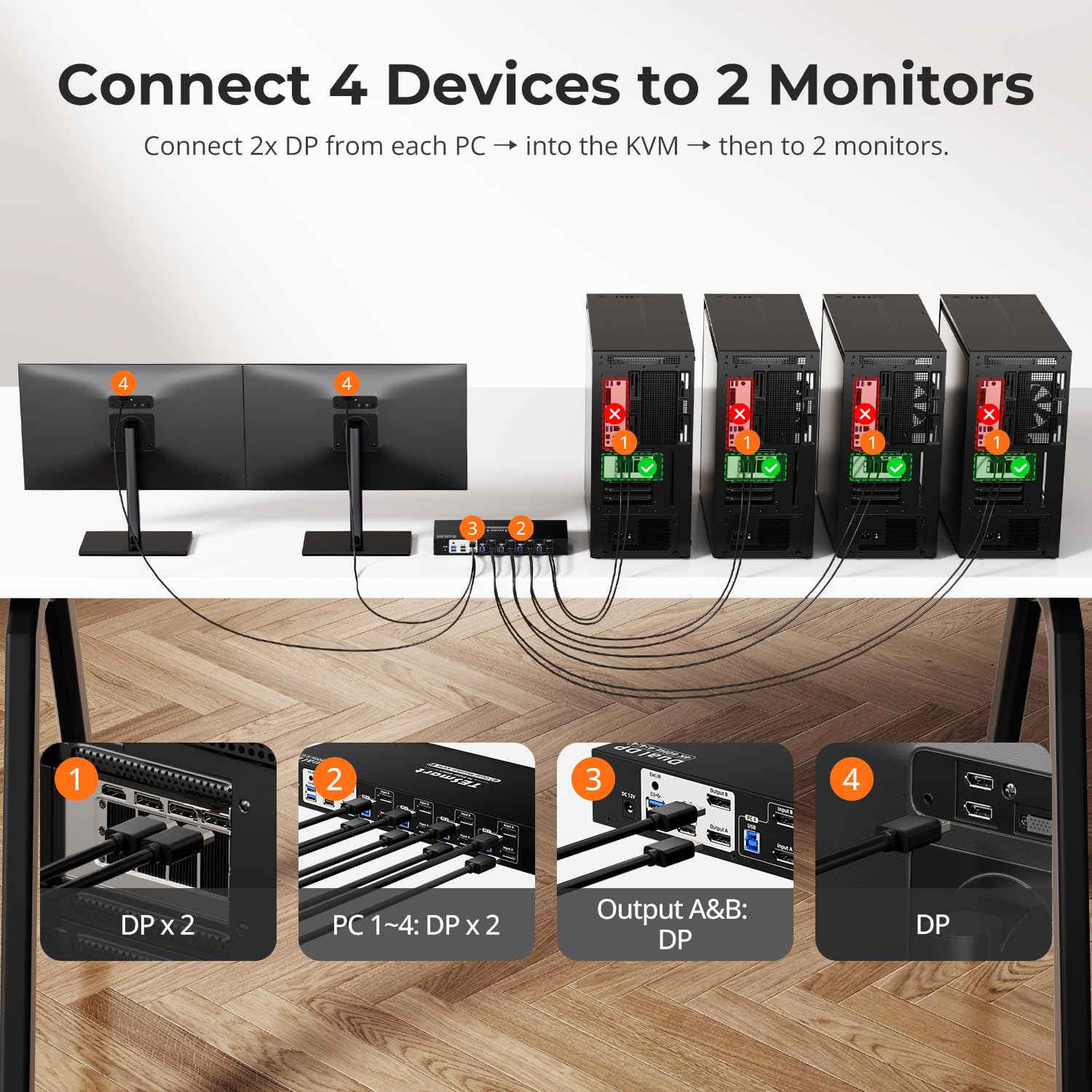
DisplayPort KVM Swap 4 Laptop 2 Monitor: This 4 Port KVM Swap connects 4 desktops/laptops to share one keyboard/mouse and two screens. Excellent for residence workplace, gaming consoles, and streaming setups – cut back muddle by eliminating additional peripherals whereas managing a number of programs effectively
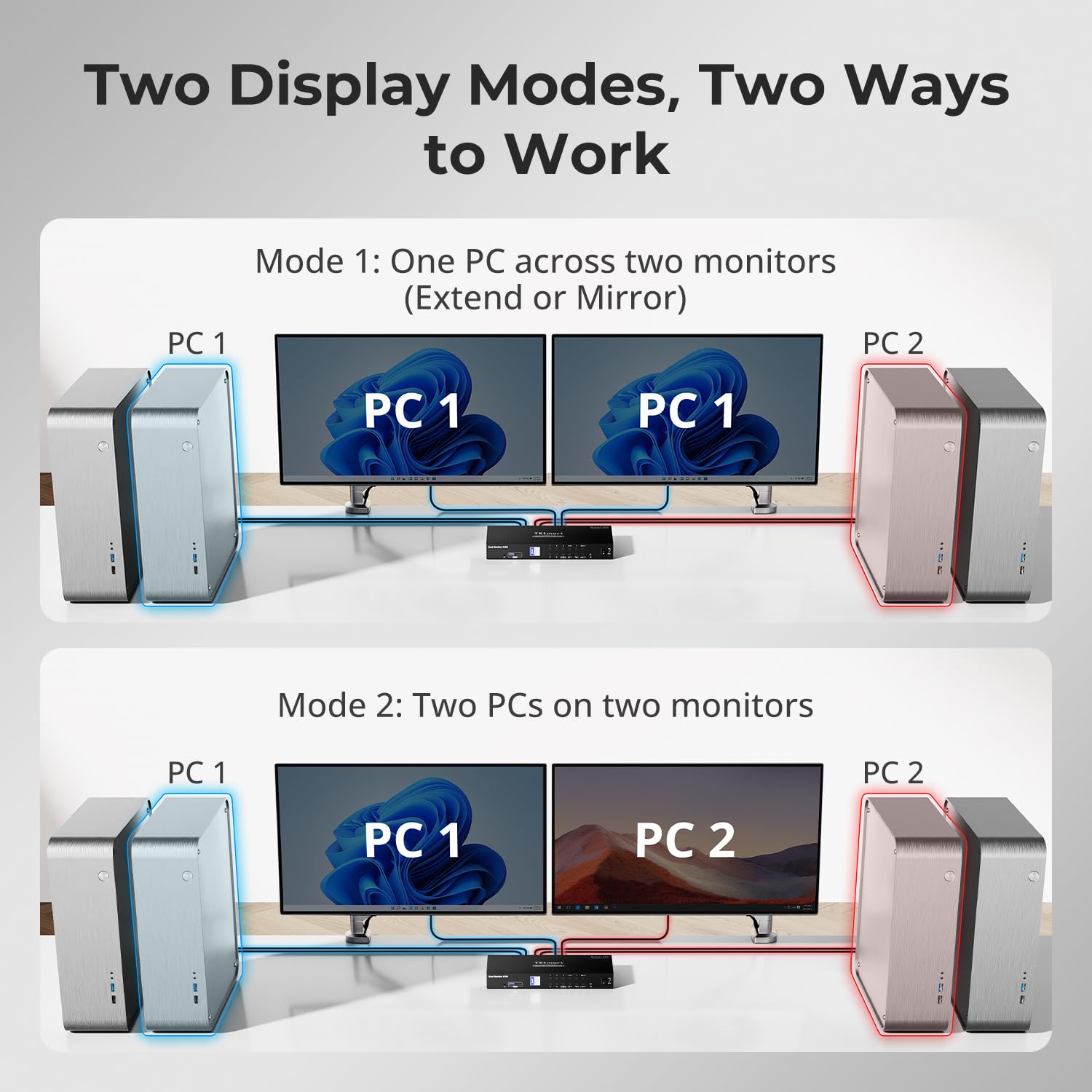
Superior Twin Show Modes: Configure your Twin Monitor KVM Swap in two methods: 1. Prolonged/Copy Mode: Join twin video outputs from one PC to realize true dual-screen workflows. 2. Multi-PC Mode: Show totally different computer systems on every monitor. An identical to direct connections with enhanced flexibility
Extremely HD 4K Visible: The KVM Swap 4 Laptop 2 Monitor delivers: Skilled&Gaming decision 3840×2160 (4K) @60hz,3840×2160@144Hz(DSC),5120×1440@60Hz,3440×1440@100hz,(3840×1080)@120hz,3440×1440@120hz,2560×1440@165hz,1920×1080@240hz and downward appropriate. Help 3D, HDR, HDCP, and Dolby Imaginative and prescient delivering extra beautiful and genuine video in your display
EDID Emulators: 1.There’s EDID emulator in every DisplayPort port on this Twin monitor KVM change. 2.On-demand EDID emulation (allow/disable through entrance panel). 3.guarantee your computer systems at all times obtain the proper show info and stopping shows setting change whereas switching inputs
4 USB 3.0 Ports&Charging: 4 Port KVM Swap consists of 4 x USB 3.0 ports (5Gbps information switch); The USB 3.0 port on front-panel 7.5W quick charging; Share printers/scanners/webcam/exhausting disk/and so on throughout all programs
Seamless Switching: Twin Monitor KVM Swap delivers Instantaneous keyboard/mouse switching (no delay), makes your use easy and improve your work effectivity or gaming expertise; Move-through mode makes broad peripheral compatibility (wired/wi-fi/mechanical), Be aware: Bluetooth units not supported


Reviews
Clear filtersThere are no reviews yet.